
IoT Auto Suspend - How To Reduce Overage
Managing overage limits with IoT SIMs can be an issue for customers. No one wants to see a huge overage bill for a rogue device that has consumed huge amounts of data! That's where the IoTie Mobile Portal is ahead of the competition with our built in auto suspend feature ensuring you can retain control over your IoT data bills.
How To Apply An Auto Suspend Limit
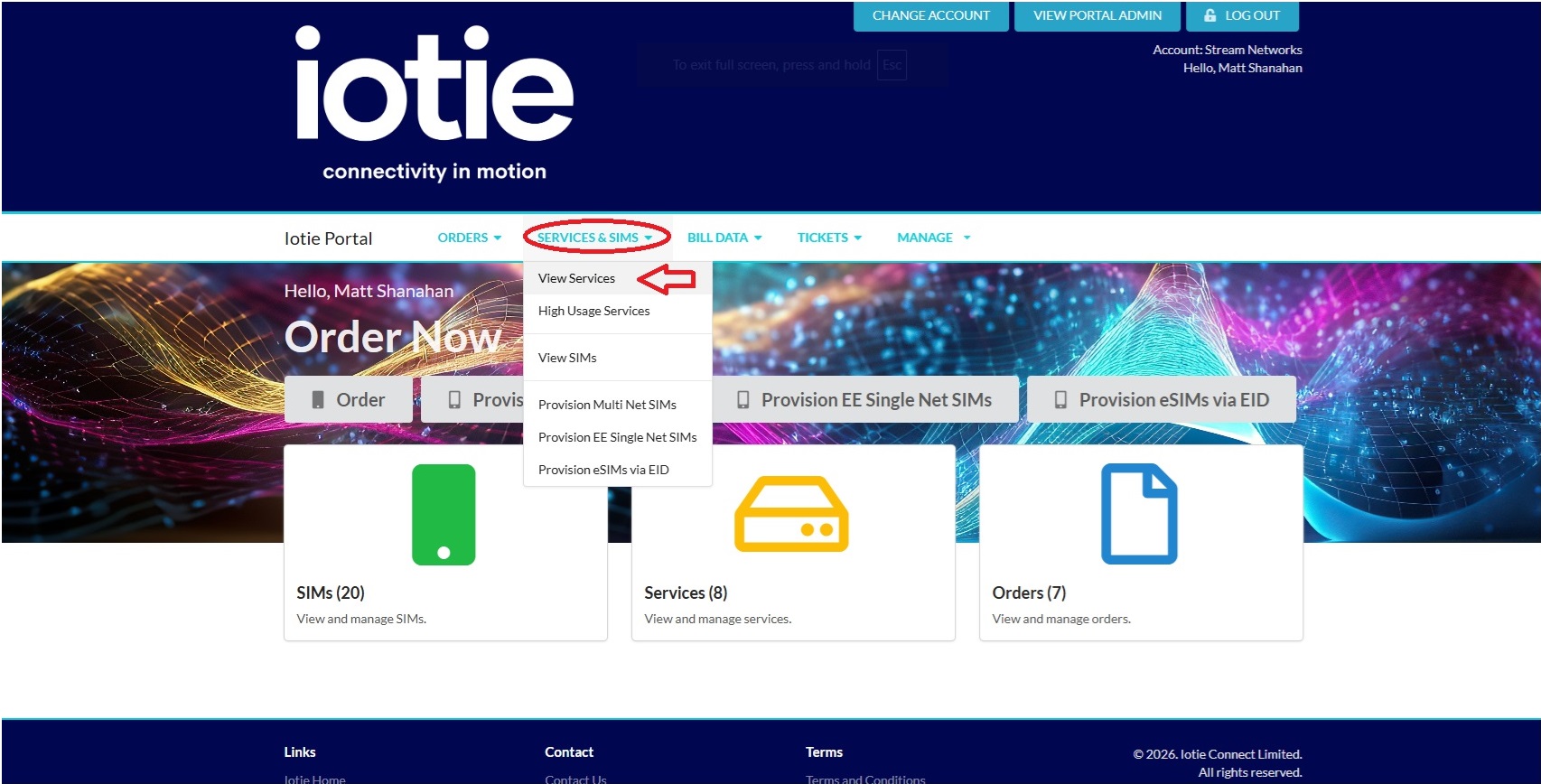
Login to your IoTie Mobile Portal customer dashboard and choose "Services & SIMs" and then "View Services".
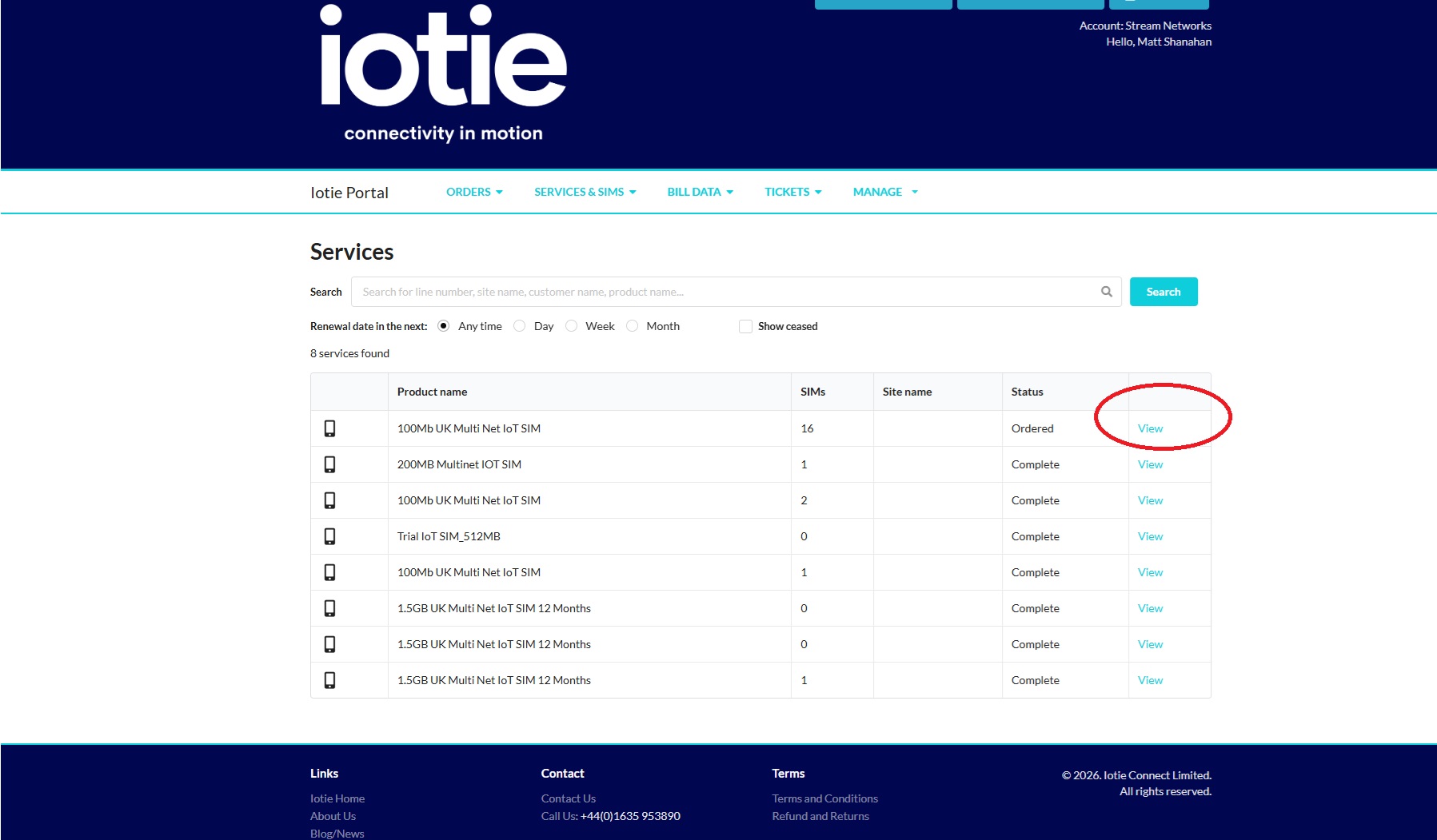
In the next page click on the service you want to view or amend the auto suspend limit on.
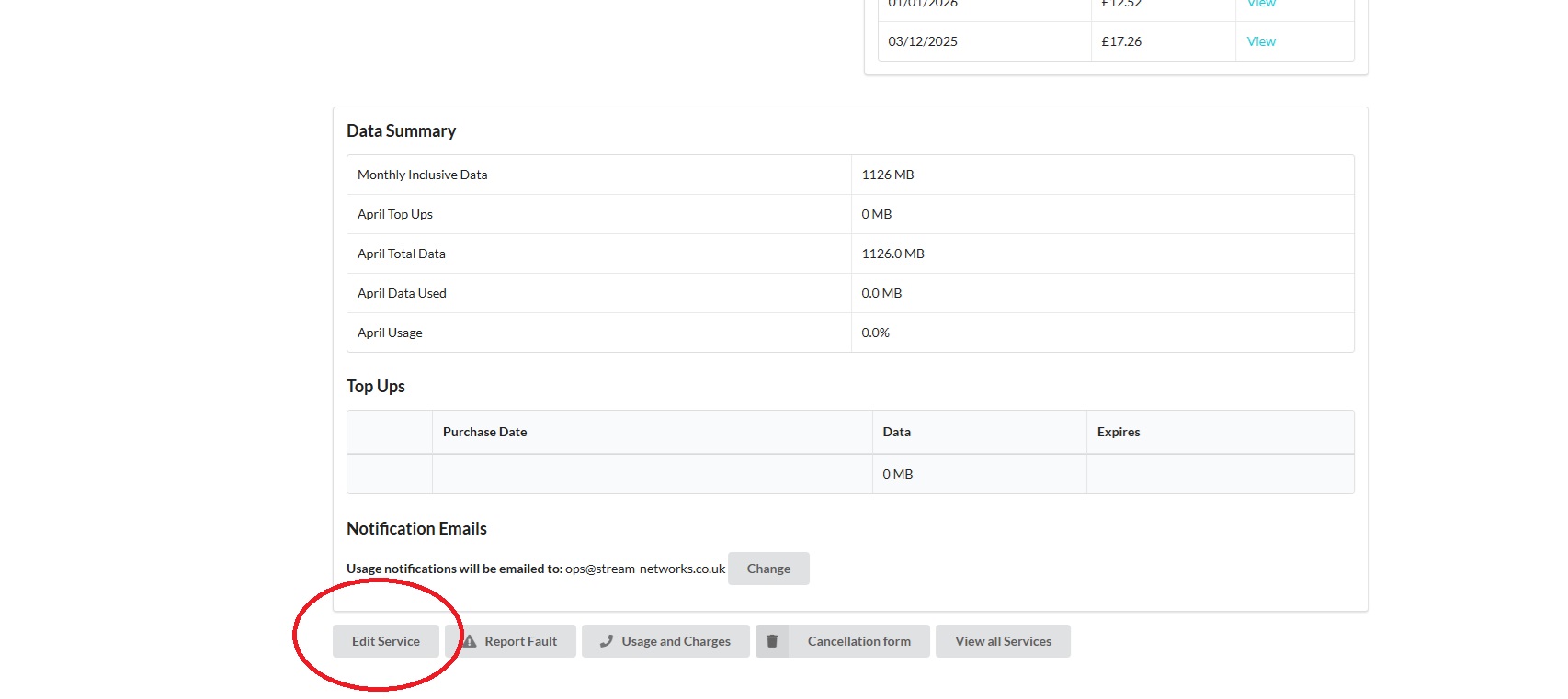
On the service view page, scroll to the bottom of the page and click on the "Edit Service" button.
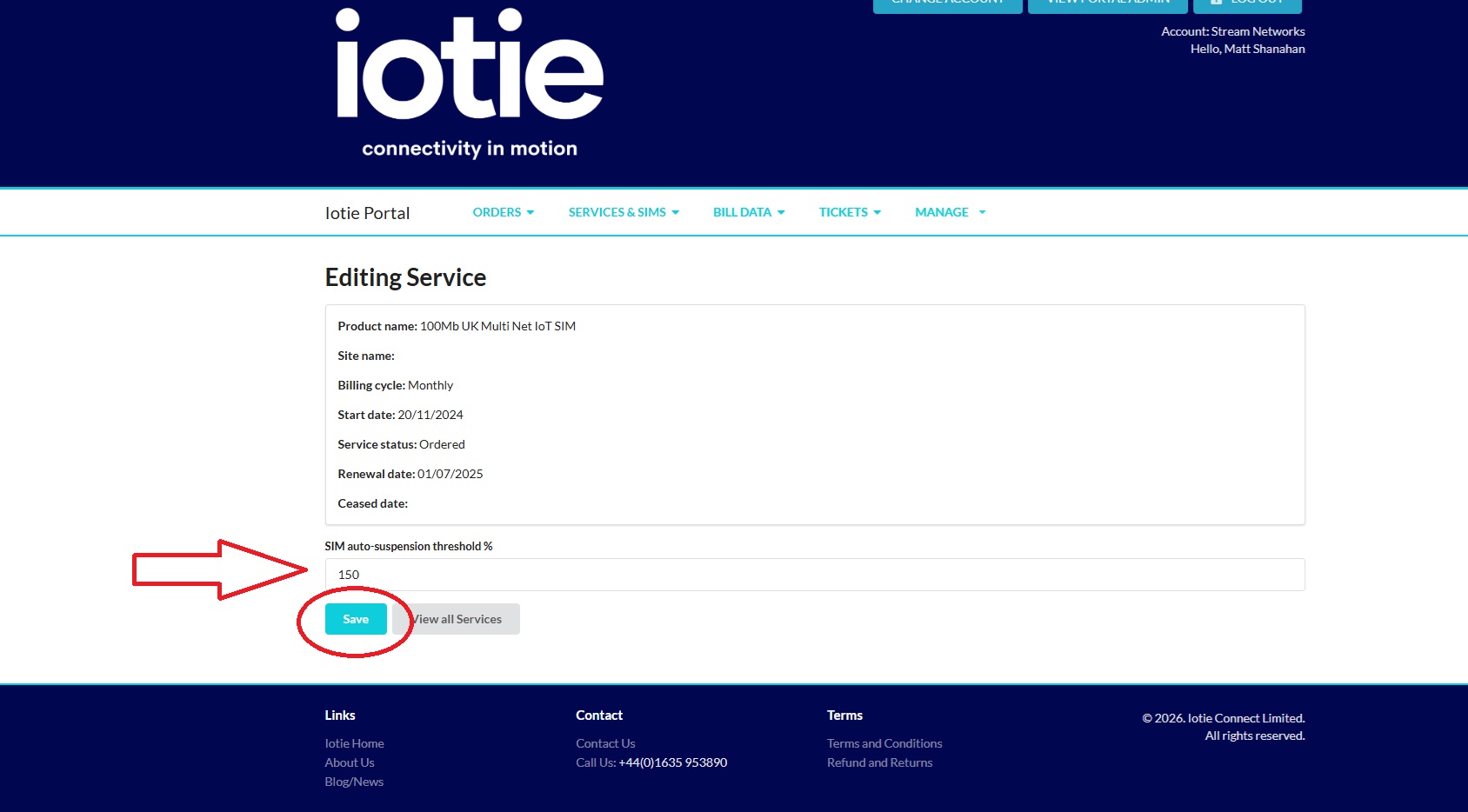
Next amend the auto-suspend limit to the desired percentage above the SIMs usage limit. e.g. if the SIM is 100Mb and you want to suspend at 150Mb put in 150% as the auto suspend value and click on save.
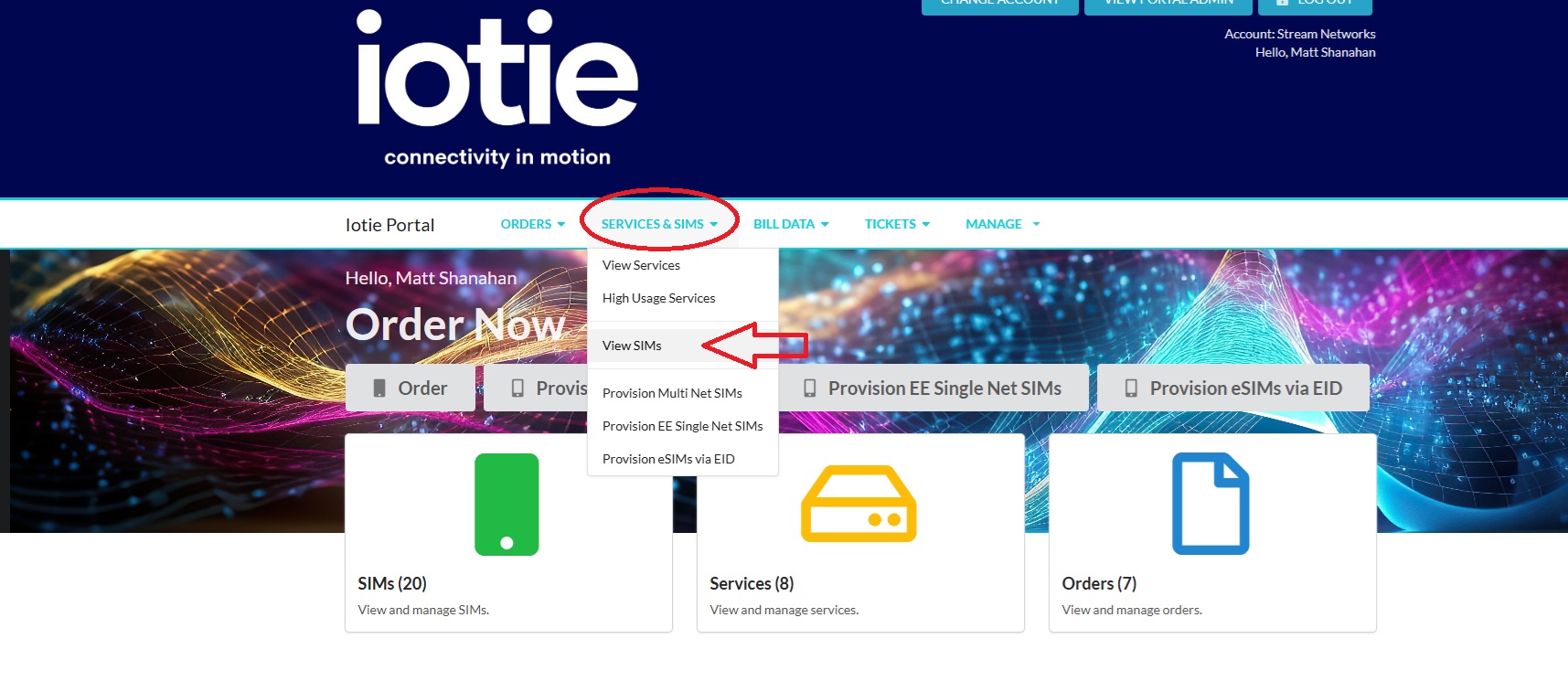
To view any SIMs that are auto suspended and re-activate the SIM simply navigate back to the "Services & SIMs" navigation and click on "View SIMs"
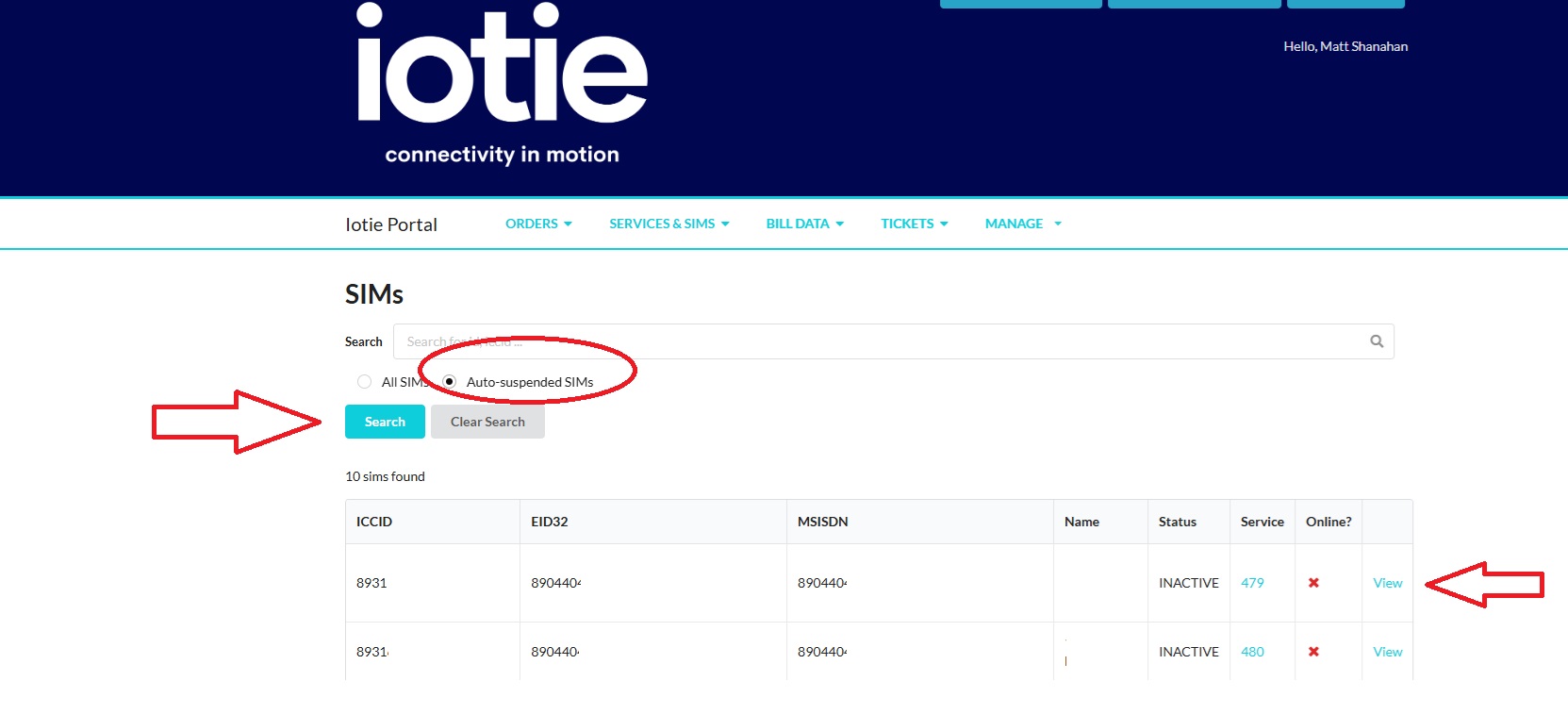
On the next page click on the "auto suspended" check box to search for auto suspended SIMs and then click on the "View" SIM link.
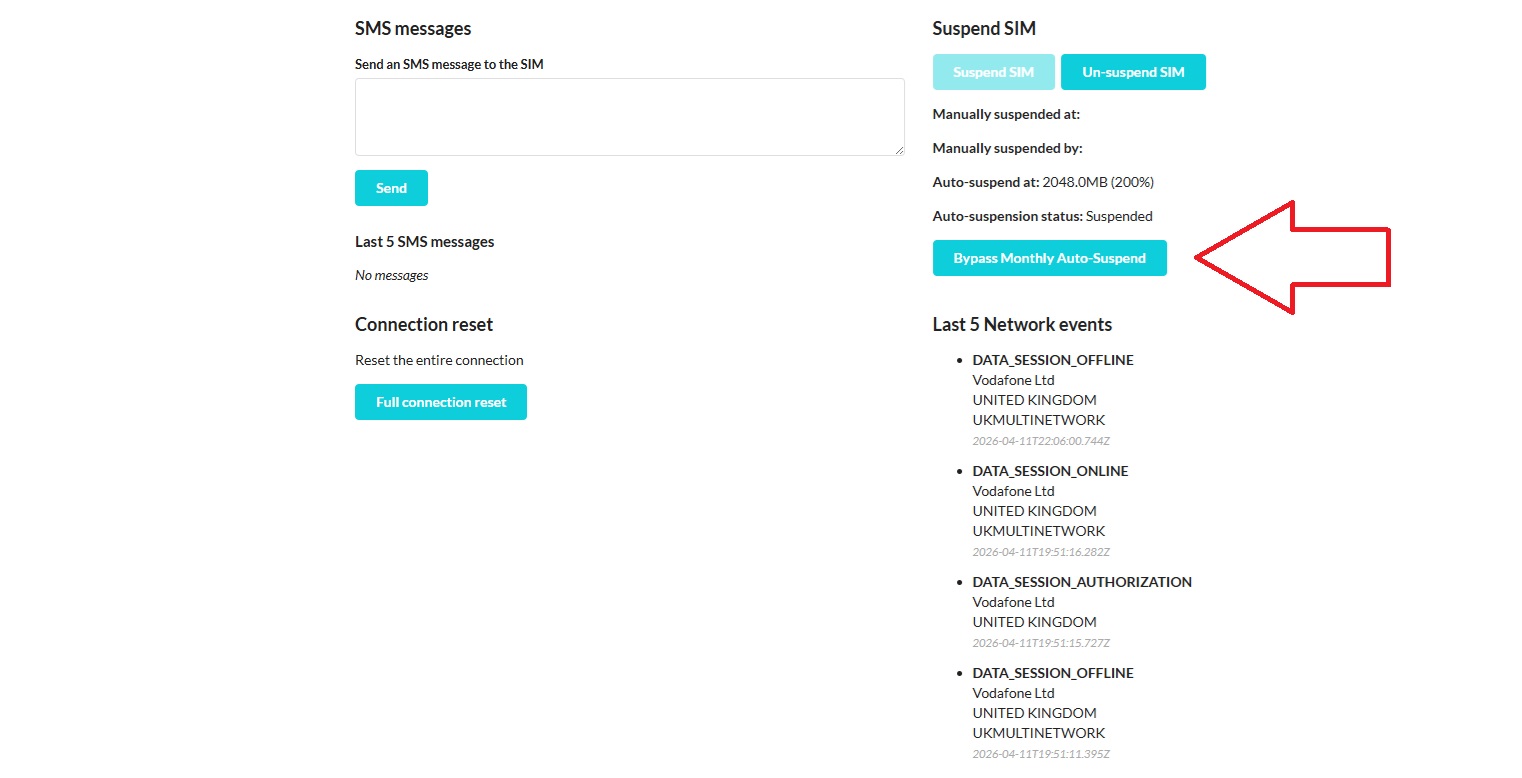
In the next page click on "Bypass Monthly AutoSuspend Limit" to remove the auto suspend limit for that month. The auto suspend limit will reset again on the 1st of the following month.
If you need any help with IoT overage charges or want help with the IoTie portal please reach out to the team on +44 (0)1635 953890.