
How To Add A New SIM To An Existing Aggregated Data Pool.
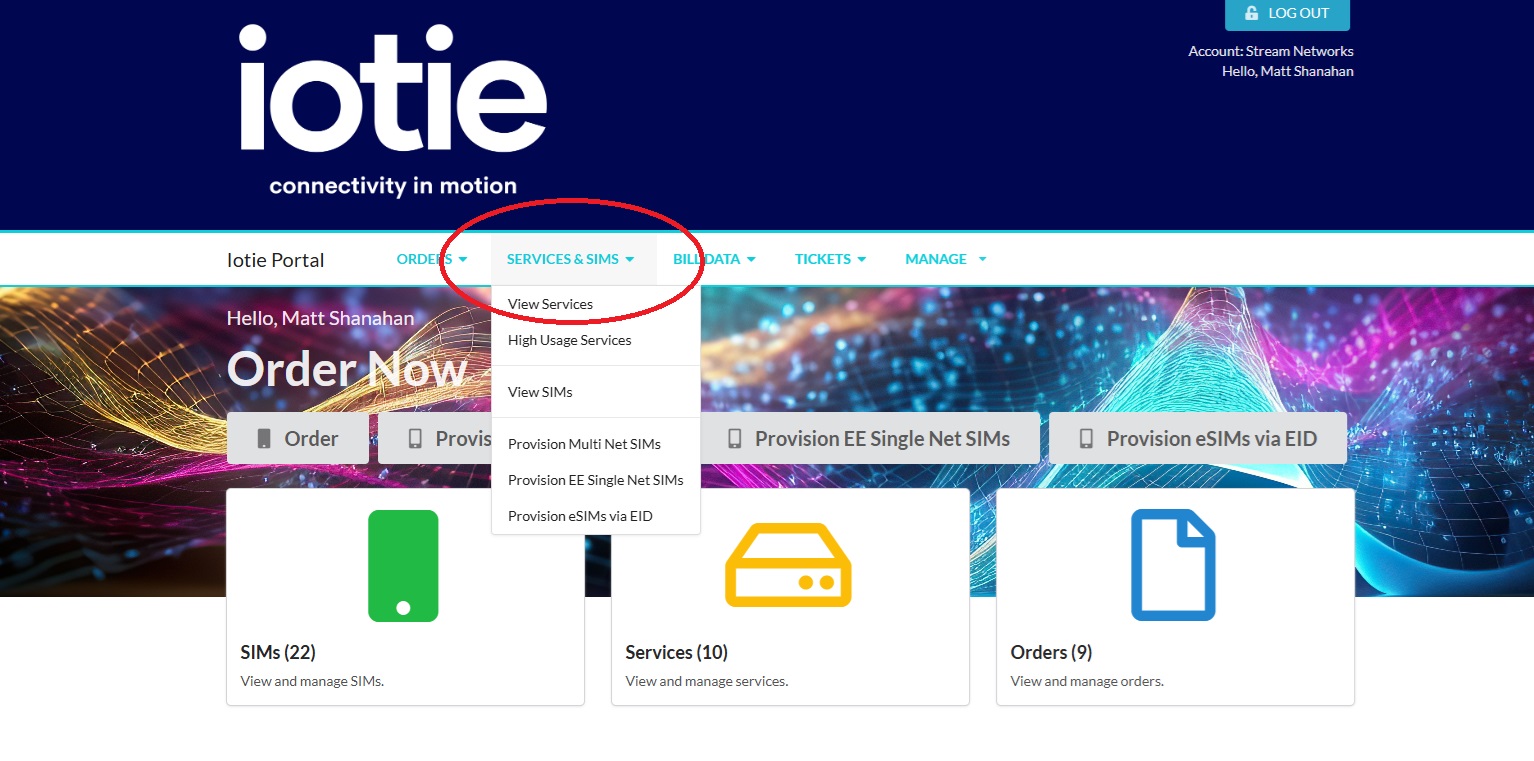
First of all login to your customer dashboard. Instead of clicking on one of the provision options please navigate to services and view one of your existing services that you want to add a new SIM to.
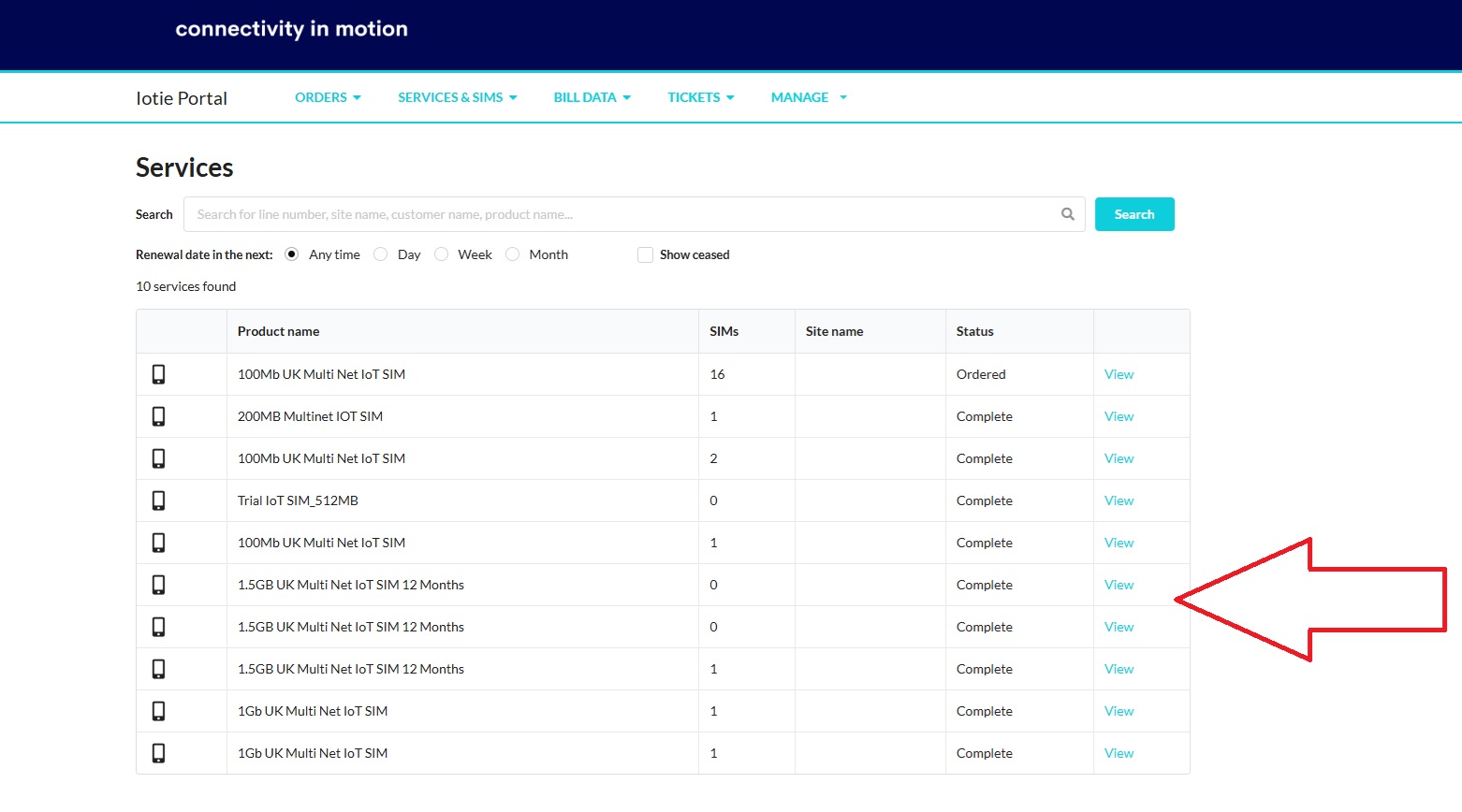
Select one of the existing Aggregated Pool Services by clicking on "View".
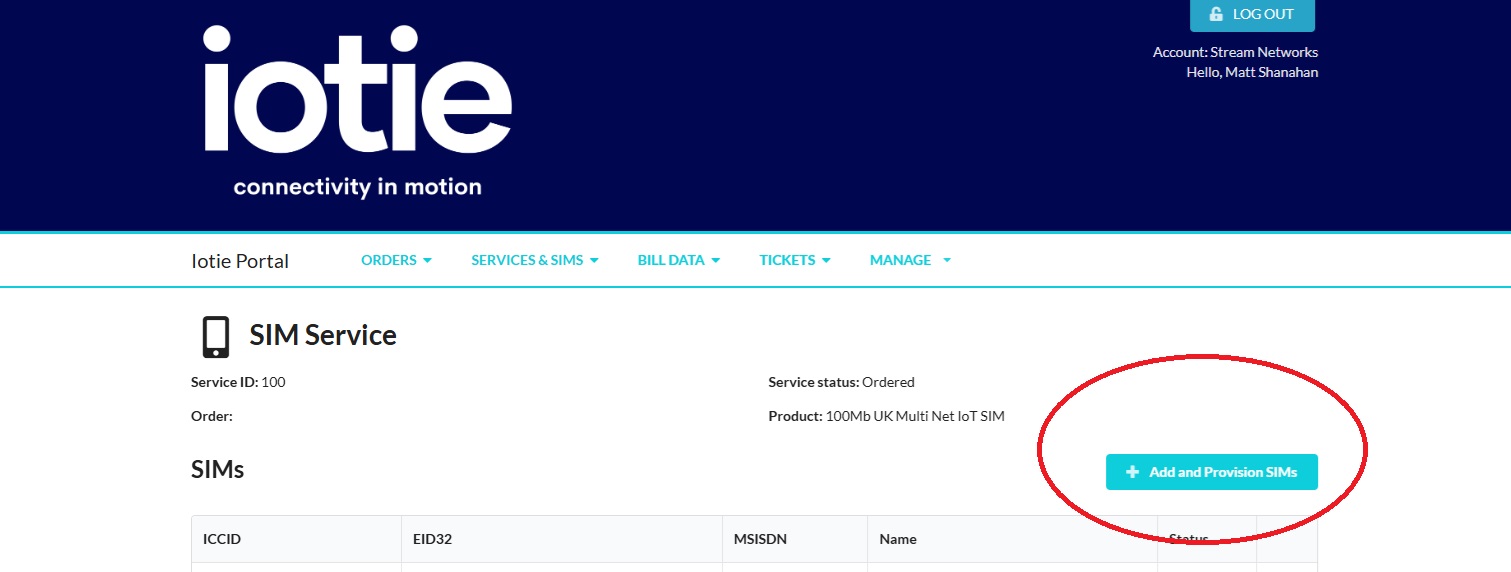
Next click on the "Add and Provision SIMs" button.
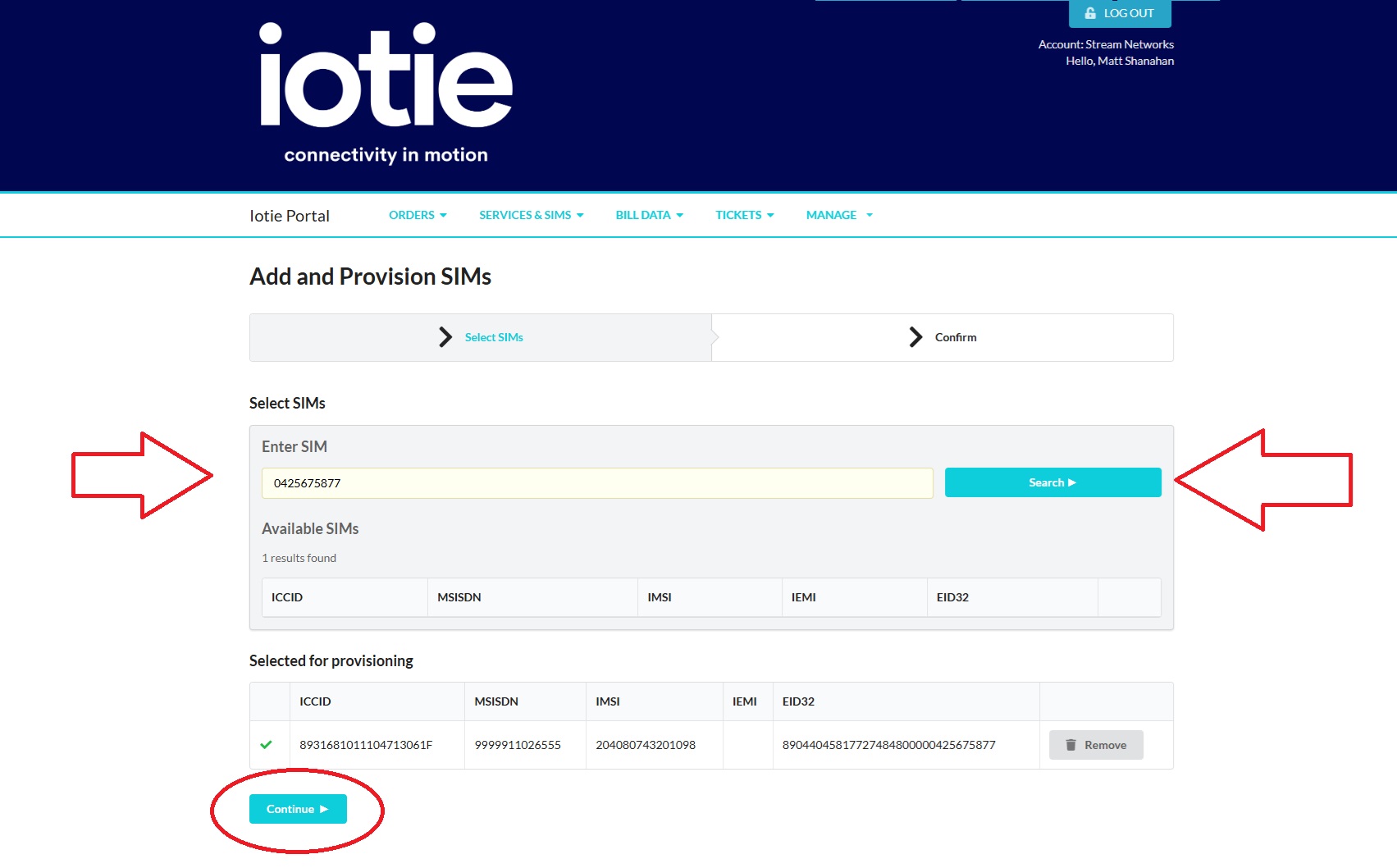
Next find your EID Number from the back of the SIM, search for the SIM, Add the SIM for provisioning and click "Continue".
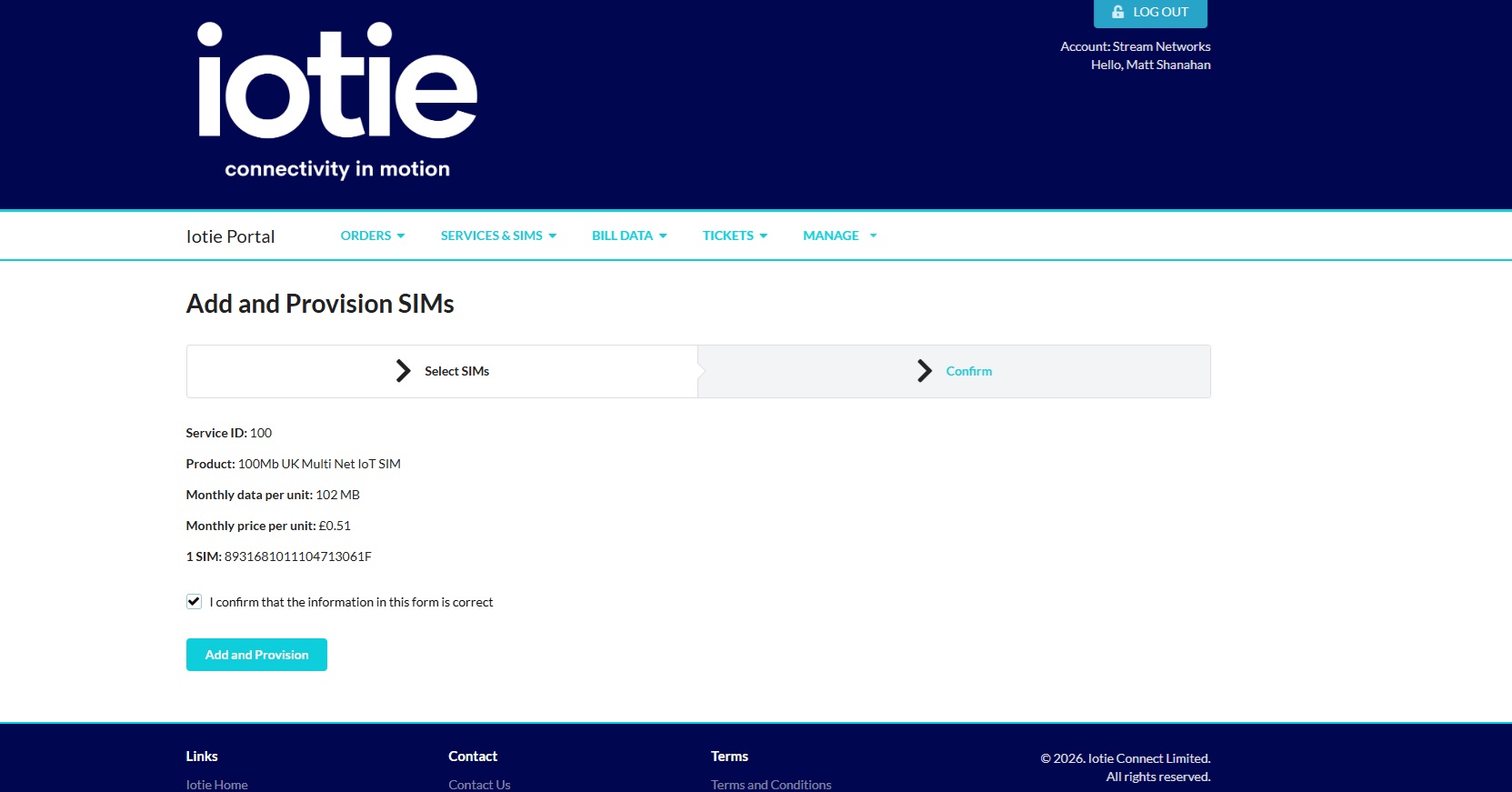
Next click on Add and Provision SIM to complete the process. Please note it will automatically select the same individual SIM allowance to add to the pool e.g. in this case the Aggregated Pool was made up of 100Mb SIMs and thus the new SIM was provisioned as a 100Mb and was added to the pool amount.
If you need any further help on provisioning IoT SIMs with IoTie please contact us on +44 (0)1635 953890 or fill out the form below.